
227.1k
18.4k
Generate a steady stream of UGC videos, slideshows, hooks, and memes that keep your product in the feed.
3 free creations each month · No credit card required
Product context
Tell us what you sell
Audience found
Voice mapped
Offer understood
Built for momentum
For teams that know consistent publishing works—but do not have the time or headcount to keep every feed full.
Turn one product into weeks of ready-to-post videos, slideshows, hooks, and captions for TikTok, Instagram, and YouTube.
%2Fslide-1.jpg&w=3840&q=75)
%2Fslide-2.jpg&w=3840&q=75)
%2Fslide-3.jpg&w=3840&q=75)
%2Fslide-4.jpg&w=3840&q=75)
%2Fslide-5.jpg&w=3840&q=75)
%2Fslide-6.jpg&w=3840&q=75)
%2Fslide-7.jpg&w=3840&q=75)
%2Fslide-8.jpg&w=3840&q=75)
Viraal reads what wins on TikTok, Reels, and Shorts—then turns those patterns into UGC built around your product.
227.1k
18.4k
142.8k
11.2k
89.3k
7.6k
32.2k
4.1k
56.7k
5.9k
198.5k
22.3k
The roadmap
Scroll through the five outputs that turn product context into content ready to ship.
Paste a product URL once. Viraal maps the offer, audience, positioning, and reasons people should care.
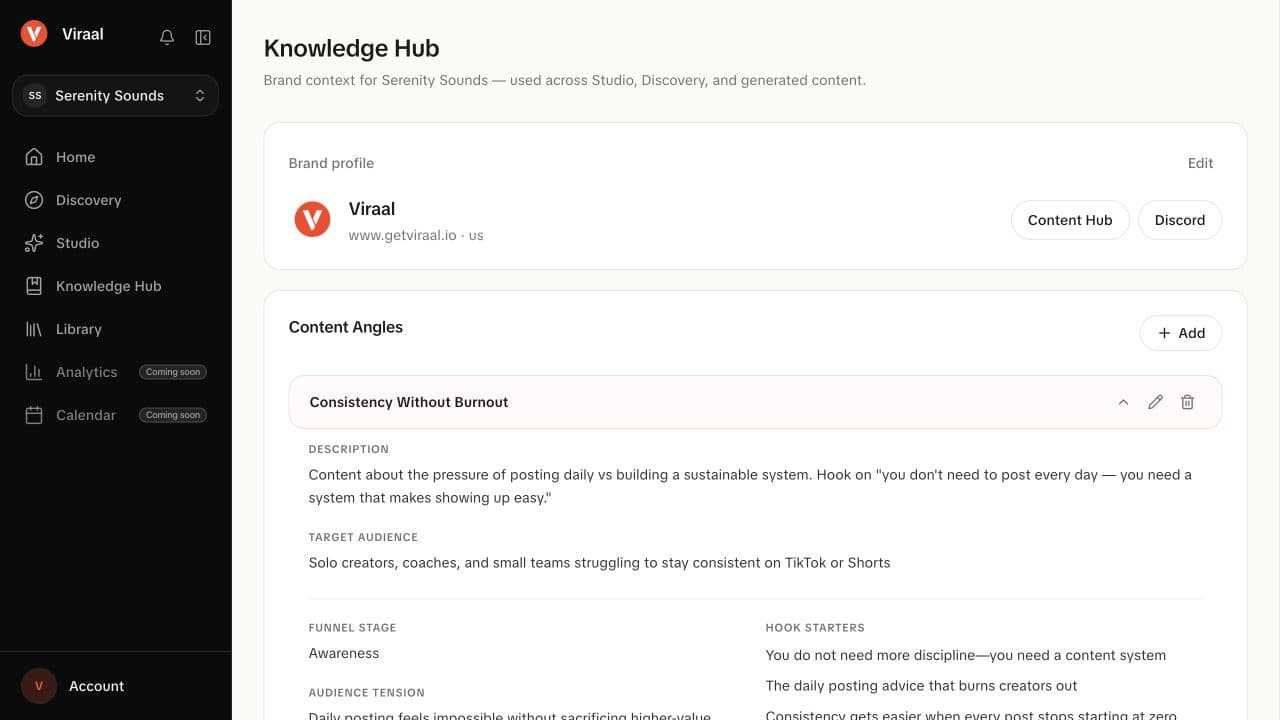
Real Viraal screen
Knowledge Hub
Your content engine
Give Viraal your product once. Get a steady stream of social content that explains it, demonstrates it, and keeps it moving through the feed.
Your product
Brand · offer · audience
Viraal understands what you sell, who it is for, and what makes people want to share it.
More ways to create
Turn the same product angle into UGC, a slideshow, a hook-led video, or a meme without starting over.
Explore the formatsMore places to be seen
Build enough fresh creative to show up consistently across TikTok, Instagram Reels, and YouTube Shorts.
See how Viraal worksBrowse human-shot clips, choose a visual that fits your idea, and customize the hook for your brand.
Start with a clip, add your own message, and turn it into an export-ready post without a complicated editing timeline.
Start free. Upgrade when you need more content, clean exports or connected social accounts.
$0 /month
No credit card required
Make your first posts. Keep creating each month.
$29$23/month
Save $72/year · $276 billed yearly
Great for solo founders testing the waters
$49$39/month
Save $120/year · $468 billed yearly
10x your marketing
$149$119/month
Save $360/year · $1428 billed yearly
For power users and agencies
All prices are in USD. Browse ideas with your Discovery previews. Saving a Discovery idea and generating in Studio use separate monthly allowances. Monthly allowances renew every month, including on yearly plans. Yearly plans include 20% off compared to monthly billing.
Get started with Google or email. Built for founders, brands, agencies, and creators who want more short-form content—without a full content team.
Free every month · No credit card required
What you need to know before you get started.
Yes. Start with 3 Studio generations, 25 Discovery previews and 3 Discovery saves each month. The Free plan includes one workspace, all content formats and 720p exports with a Viraal watermark. No credit card is required. Upgrade for more creations, clean exports and connected social accounts.
Viraal is a UGC automation platform that helps you create short-form content like UGC videos, slideshows, memes, hooks, captions, and ready-to-post social content.
Viraal is for SaaS founders, ecommerce brands, agencies, creators, and marketers who need consistent short-form content without spending hours creating it manually.
You can create UGC-style videos, product demos, TikTok slideshows, memes, captions, hooks, scripts, and other short-form content formats.
A broader UGC marketplace is on the roadmap. Today, Viraal includes creator-style media and templates you can use in your content workflow.
Yes. Viraal includes browser-based editing tools so you can adjust content before exporting it.
That is part of the roadmap. The goal is to help you go from idea to generated content to scheduled post in one workflow.